
Rhino Lock Glow key safe instructions
This guide applies to these models
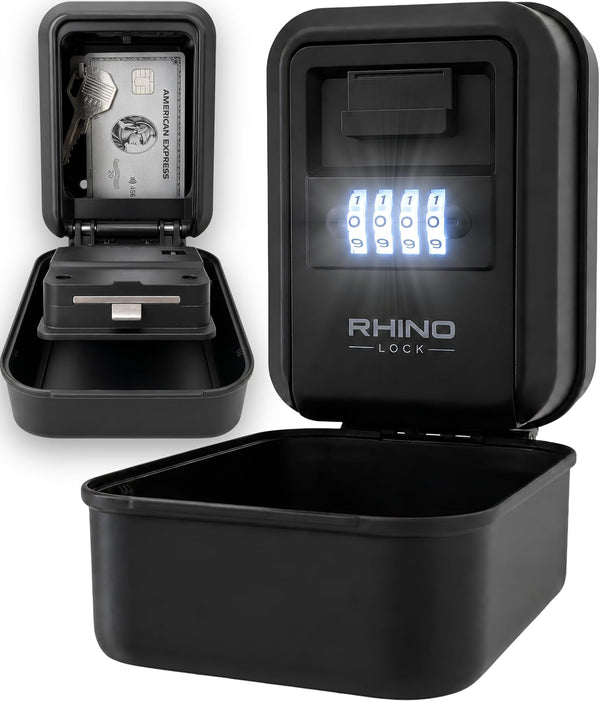
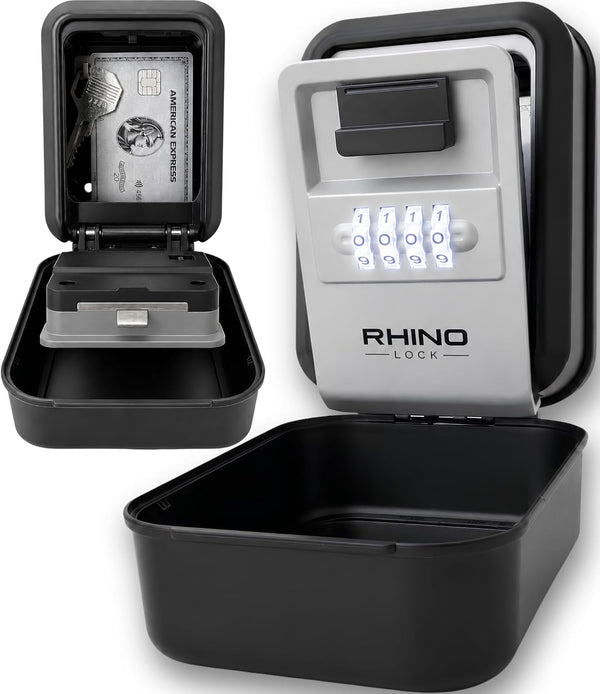
This guide covers code setting and normal operation for the Glow key safe, including the illuminated dials and battery replacement.
Rhino-0025
Rhino-0026
Opening your Glow key safe
Open the protective cover. The dials illuminate for 15 seconds. Set the four dials to your code, then move the opening lever down and open the door. The factory code is 0000. Press the button underneath to light the dials again.
Setting or changing your code
Set your first code before mounting the safe. If it is already fitted, remove it from the wall before changing the code so you can read the dials straight on at eye level.
- Open the cover, enter 0000 for a new safe or your current code, and open the door.
- Move the internal reset lever from A to B.
- Choose your new four-digit code. Look straight at the dials and align each number carefully with the reference line.
- Make a note of the numbers shown, then return the reset lever from B to A.
- With the door still open, check that your chosen code operates the opening lever. Recheck the displayed numbers before closing the door.
- Close the door, scramble the dials and close the protective cover.
Viewing angled dials from above or below can make a neighbouring number look aligned. This is why a clear, straight-on view matters when changing your code. Do not force the lever or door. If your code does not open the safe, see our FAQs or contact support.
Replacing the light battery
Glow uses one CR2032 lithium battery. You can replace it while the safe is wall-mounted. The mechanical combination continues to work when the battery is flat; only the dial light stops.
- Open the cover, enter your code and open the safe door as normal.
- On the inside of the door, below the A/B selector, find the small removable panel marked CR2032. It is secured by a single Phillips-head screw.
- Use a Phillips screwdriver to remove the screw and lift off the panel.
- Replace the battery with a fresh CR2032 lithium cell, with the flat positive (+) face upwards towards the removable cover.
- Refit the small panel and reinsert the screw.
- Press the button underneath to test the light, or close the door and cover, then reopen the cover to illuminate the dials.
For a replacement, see this Duracell CR2032 battery listing on Amazon.
If the light does not work
First replace the battery with a fresh CR2032 lithium cell, then check that its positive (+) face points upwards towards the removable cover. If the light still does not work, email support@rhinolock.co.uk with a clear photograph and the checks you have tried. Our support team will review it.
Dimensions and what is included
Both colours have the same dimensions, stated as height × width × depth.
- External: 125 × 85 × 60 mm
- Internal: 90 × 75 × 30 mm
- Key safe weight: 480 g
- Two fixed plastic internal hooks
- One CR2032 lithium battery, wall mounting kit with screws and wall plugs, and an instruction sheet
Common Glow questions
Does Glow have an emergency key?
Glow uses a four-digit combination and has no emergency override key or master combination. Keep a record of your chosen code.
Does the battery power the lock?
The battery powers the dial light. Your mechanical combination still opens the safe with a flat battery.
Where can I find the model number?
The SKU is on the retail box, rather than on the safe. If you no longer have the box, a clear photograph can help us identify your model.
What does the warranty cover?
Our 12-month warranty covers the Glow key safe, including its light and electronics. The replaceable battery is a consumable for the customer to replace. See our warranty terms, including purchase registration within 28 days for purchases from another retailer.
